Existing agents can self-register
If your company already uses AI agents, they can self-register with AgntPymt through MCP. The new connection flow starts with Add agent → Connect yours, followed by MCP setup for the chosen agent environment.
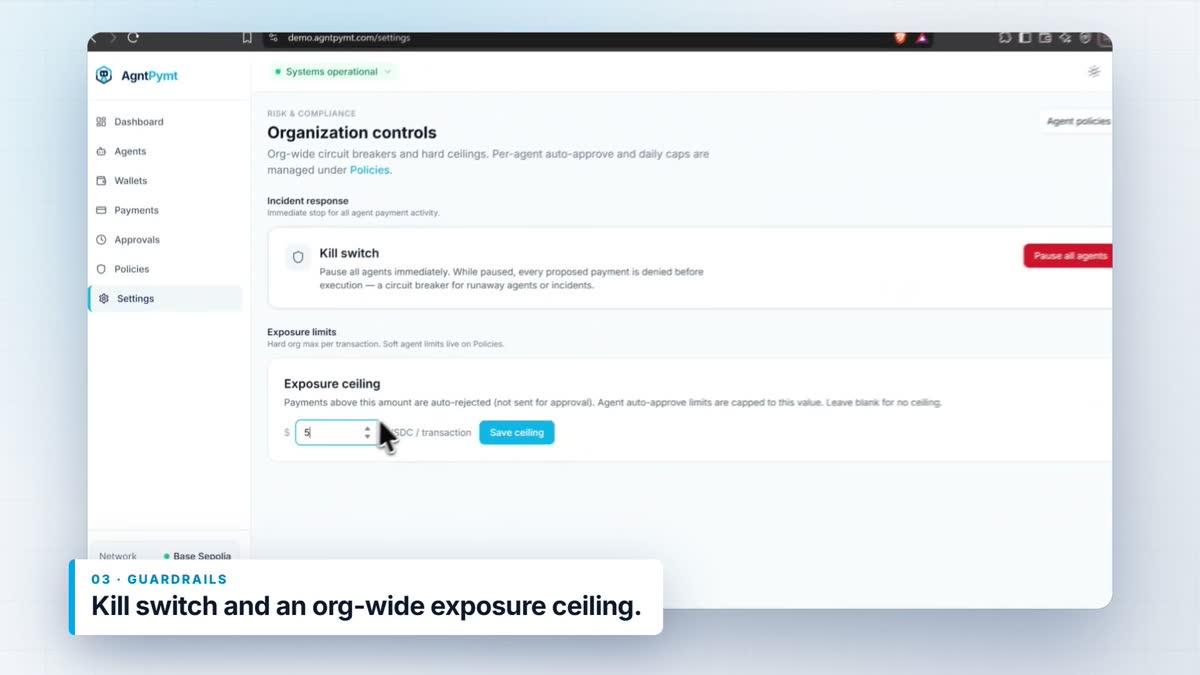
The 21-second feature recording shows the connection options and the agent’s rules. Review the configured payment policy before testing a transaction.
Keep the agent you already use
An agent may already research suppliers, gather information or prepare a purchase. Adding payment capability should fit that workflow. AgntPymt lets you bring that existing agent, connect it through MCP and manage its wallet and guardrails in one place.
Claude Code, Codex, Hermes, Cursor and OpenCode are ways to work with your agent. Configure the AgntPymt MCP connection in your chosen tool before asking it to manage platform settings. Connection details belong in the MCP documentation, where they can stay current as the integration changes.
What does MCP add?
MCP provides a shared interface between an AI application and external tools or data. In AgntPymt, it is the connection between your agent environment and the platform.
A connection and permission to spend are separate decisions. Establish the agent’s role and guardrails before trying a payment workflow.
Reference: MCP architecture overview
Start with one test workflow
Choose one task that needs a payment, such as testing a purchase request for a digital service. Keep the initial workflow small enough to inspect each step.
- Request a demo and the current MCP connection instructions from contact@agntpymt.com. The public documentation link is not available on this site yet.
- Use AgntPymt to create the agent wallet on the currently supported network.
- Set the payment and agent guardrails in the web app or through your connected agent.
- Run a test request, then review its status and transaction records in the platform.
Explore the workflow
Two ways to manage the same workflow
Use the web app when you want to inspect settings and activity together. Use your connected agent when you want to manage guardrails within the conversation or development environment where you already work.
After changing a control, check the saved setting before proceeding. Treat example prompts as requests to configure the platform, not as evidence that a payment policy has already changed.
What can I use today?
AgntPymt supports Base Sepolia and XRPL testnet. XRP and RLUSD are available for testing on XRPL. Use test assets for these workflows.
Request a demo to connect one agent and inspect its controls. Expand the workflow only when the results match the limits you intended.
Put it into practice.
Explore enterprise guardrails, approval controls and payment records for your AI agents. Email our team to arrange a demo.
Request demo